- Joined
- Sep 17, 2014
- Messages
- 4,836
- Reaction score
- 241
OK, need to discuss a number of things:
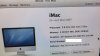
1. Just to make sure, is this the iMac you have:
https://everymac.com/systems/apple/imac/specs/imac-core-2-duo-2.4-24-inch-aluminum-specs.html
2. If that is the case, then you can install the last version of El Capitan, OS 10.11.6, on the machine. For one of your screen shots that is attached, an installation of the latest version of High Sierra, OS 10.13.3, was attempted, but given that OS is newer than El Capitan, that is why you got that (correct) error message.
3. Unfortunately, 1 Gig of Ram is not going to be enough to install and run El Capitan, along with your other applications. This link shows where you can purchase memory for your iMac:
https://eshop.macsales.com/upgrades/imac-24-inch-mid-2007-2.4-ghz/memory
This link shows how to upgrade the Ram inside the machine:
https://www.ifixit.com/Guide/iMac+Intel+24-Inch+EMC+2134+and+2211+RAM+Replacement/8966
4. The next thing that needs to be done is to check out the "condition" of the internal drive. That is going to be difficult, as it is best to do that in an "isolated" manner. But you can begin to do that by running Disk Utility, which is contained inside the Utilities folder, which is inside your Applications folder. It would be best if you let it Verify and Repair the drive (if it will let you), but without a backup, that could be risky. Disk Utility should at least be able to tell you if there is anything wrong with the drive, even if it won't let you repair it. If the hard drive does need to be replaced, that is more challenging, as this link shows:
https://www.ifixit.com/Guide/iMac+Intel+24-Inch+EMC+2134+and+2211+Hard+Drive+Replacement/8968
5. Given how old the machine is, and that it has never been upgraded, it is best that you do a clean, fresh, "virgin" installation of El Capitan, versus just an update "in place". But to do that, you will need to make a backup of your current system to an external device. And the clean, fresh installation of El Capitan will need to be done externally. I suspect that given how you can possibly obtain El Capitan, you'll need to use either SuperDuper! or Carbon Copy Cloner for doing the backup. But that is a good thing. This thread that I started contains a lot of useful information about backups:
https://www.mac-help.com/threads/backups-backups-backups.223959/
6. Finally, you need to insure that whatever third party (ie, non-Apple) programs you are using are compatible with El Capitan. This link can help you with that:
https://roaringapps.com/apps
What could also make this easier is if you have another Mac that is working fine. Is that how you are making posts here? If so, what exact Mac model is it?
1. Just to make sure, is this the iMac you have:
https://everymac.com/systems/apple/imac/specs/imac-core-2-duo-2.4-24-inch-aluminum-specs.html
2. If that is the case, then you can install the last version of El Capitan, OS 10.11.6, on the machine. For one of your screen shots that is attached, an installation of the latest version of High Sierra, OS 10.13.3, was attempted, but given that OS is newer than El Capitan, that is why you got that (correct) error message.
3. Unfortunately, 1 Gig of Ram is not going to be enough to install and run El Capitan, along with your other applications. This link shows where you can purchase memory for your iMac:
https://eshop.macsales.com/upgrades/imac-24-inch-mid-2007-2.4-ghz/memory
This link shows how to upgrade the Ram inside the machine:
https://www.ifixit.com/Guide/iMac+Intel+24-Inch+EMC+2134+and+2211+RAM+Replacement/8966
4. The next thing that needs to be done is to check out the "condition" of the internal drive. That is going to be difficult, as it is best to do that in an "isolated" manner. But you can begin to do that by running Disk Utility, which is contained inside the Utilities folder, which is inside your Applications folder. It would be best if you let it Verify and Repair the drive (if it will let you), but without a backup, that could be risky. Disk Utility should at least be able to tell you if there is anything wrong with the drive, even if it won't let you repair it. If the hard drive does need to be replaced, that is more challenging, as this link shows:
https://www.ifixit.com/Guide/iMac+Intel+24-Inch+EMC+2134+and+2211+Hard+Drive+Replacement/8968
5. Given how old the machine is, and that it has never been upgraded, it is best that you do a clean, fresh, "virgin" installation of El Capitan, versus just an update "in place". But to do that, you will need to make a backup of your current system to an external device. And the clean, fresh installation of El Capitan will need to be done externally. I suspect that given how you can possibly obtain El Capitan, you'll need to use either SuperDuper! or Carbon Copy Cloner for doing the backup. But that is a good thing. This thread that I started contains a lot of useful information about backups:
https://www.mac-help.com/threads/backups-backups-backups.223959/
6. Finally, you need to insure that whatever third party (ie, non-Apple) programs you are using are compatible with El Capitan. This link can help you with that:
https://roaringapps.com/apps
What could also make this easier is if you have another Mac that is working fine. Is that how you are making posts here? If so, what exact Mac model is it?