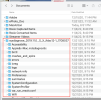
I only just noticed this, it's dated 2020, about when I got this Mac (currently Big Sur). According to the internet, it's a legit part of the Mac, but why is it in the Documents area? Seems like it should be in Applications...? I've opened the folder to look at it, but haven't clicked on anything. Is it something that runs automatically?

You are using an out of date browser. It may not display this or other websites correctly.
You should upgrade or use an alternative browser.
What is "Sysdiagnose_ folder, and why is it in 'Documents'?
- Thread starter dadders6
- Start date

Cory Cooper
Moderator
- Joined
- May 19, 2004
- Messages
- 11,117
- Reaction score
- 506
Hello and welcome.
Sorry for the delayed response.
Did you purchased the iMac used or new? If used, it could be that the previous owner ran System Diagnostics in the Activity Monitor application, and moved the results folder to the Documents folder. It normally resides in a hidden system folder (Macintosh HD/private/var/tmp) as an archived file that can be unarchived to review. It is safe to simply delete, but always a good idea to have a current Time Machine or other backup of your data.
Run system diagnostics in Activity Monitor on Mac
Hope that helps!
C
Thanks! I bought the Mac new, so maybe I somehow moved it unknowingly.Hello and welcome.
Sorry for the delayed response.
Did you purchased the iMac used or new? If used, it could be that the previous owner ran System Diagnostics in the Activity Monitor application, and moved the results folder to the Documents folder. It normally resides in a hidden system folder (Macintosh HD/private/var/tmp) as an archived file that can be unarchived to review. It is safe to simply delete, but always a good idea to have a current Time Machine or other backup of your data.
Run system diagnostics in Activity Monitor on Mac
Hope that helps!
C
Thanks! I bought the Mac new, so maybe I somehow moved it unknowingly.