
Change long date format in Sequoia 15.5

Joined
May 7, 2023
Messages
808
Reaction score
130
The best that you can do is "Day of Week mm/dd hh:mm am/pm}.

You do this by going to System Settings -> Control Center. Scroll down to the Menu Bar Only section and click on Clock Options.
 
Joined
Aug 12, 2017
Messages
58
Reaction score
2
The best that you can do is "Day of Week mm/dd hh:mm am/pm}.

You do this by going to System Settings -> Control Center. Scroll down to the Menu Bar Only section and click on Clock Options.
Not what I'm talking about.

There is this:

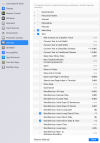
System Settings > Keyboard > Keyboard Shortcuts > Services > Text > Word Service: Insert Long Date & Time

I have mine set to Ctrl+1 and this produces:
Monday, 06/23/2025 10:27 AM at 10:27:08 AM
NOTE: the time is duplicated - I want to remove the 2ns timestamp
ALSO: I want the date & time to show as: Mon 06/23/2025 10:27 AM
No comma (,) between the day of the week and the date.
And the day of the week should only be three (3) letters.

Ideas?
 

Attachments

  • Screenshot 2025-06-23 at 10.25.42 AM.png
    Screenshot 2025-06-23 at 10.25.42 AM.png
    153.1 KB · Views: 92
Joined
Mar 24, 2024
Messages
333
Reaction score
31
Possibly, but I don't know of one personally, where are you inserting this, into what? I mean, is this for documents or spreadsheets? Obviously word processors vary and all have their own settings for formatting date insertion or are we just talking about the System Menu Bar display? If so there are applications to customise System Display but they are complex, expensive and are unlikely to list such a feature in their product description.

With respect, can I ask why you want to modify the Time/Date display?
 
Joined
Aug 12, 2017
Messages
58
Reaction score
2
Possibly, but I don't know of one personally, where are you inserting this, into what? I mean, is this for documents or spreadsheets? Obviously word processors vary and all have their own settings for formatting date insertion or are we just talking about the System Menu Bar display? If so there are applications to customise System Display but they are complex, expensive and are unlikely to list such a feature in their product description.

With respect, can I ask why you want to modify the Time/Date display?
"...where are you inserting this, into what?"
Anywhere I want to document the day-date-time I made something,
discussed, whatever. If I'm making a note, of anything, I want to know
when I made it for future reference.
The MOST important thing you have in this life is . . . TIME.
Not family.
Not friends.
Not money.
You can always make more of these.
But make more TIME: you cannot.
Therefore, proper use of one's TIME includes knowing what one did something.

"...documents or spreadsheets?"
Anywhere I can insert the day-date-time.

Thanks for your disussion.

If you happen upon a simple fix, please share!
 

Ask a Question

Want to reply to this thread or ask your own question?

You'll need to choose a username for the site, which only take a couple of moments. After that, you can post your question and our members will help you out.

Ask a Question

Top